Random draws
Wheel Spinner Giveaway Guide: Entries, Exclusions and Winners
A clear draw begins with the entry rule and eligible list. A spinning animation cannot fix duplicate records, unclear exclusions or an undisclosed reroll.
Set the entry and winner rules first
Decide who is eligible, when entries close, whether a person can have multiple entries, how many winners you will select and whether a previous winner remains eligible. Decide how you will handle an invalid entry or an unclaimed result.
Use rules appropriate to your situation and platform. This is an operational guide to the tool, not a statement that a particular giveaway meets legal or platform requirements.
State the repeat rule explicitly: for different winners, exclude each selected entry before the next spin. Keeping a winner in an unchanged wheel allows that entry to be selected again.
Clean records without merging different people
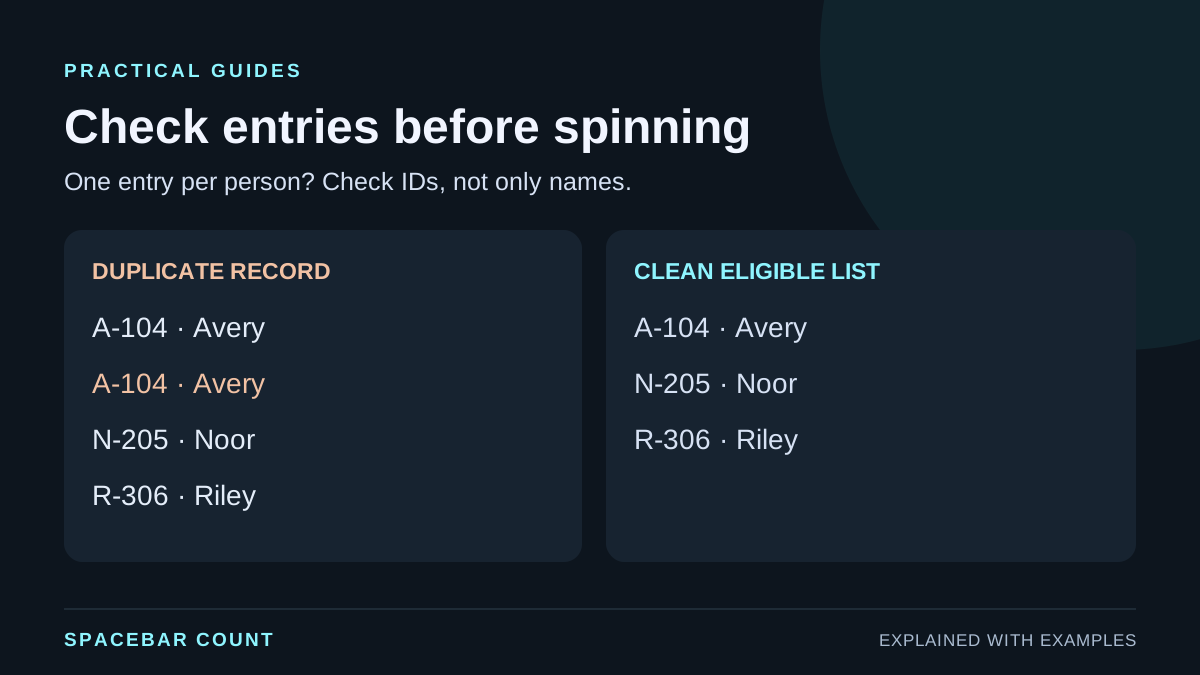
Use an entry ID or another reliable identifier to check duplicate records. Two different people called Avery are not automatically a duplicate. Conversely, the same entry ID appearing twice is still a duplicate even if one row has slightly different spelling.
Compare a duplicated record with a clean list
This example assumes the published rule is one entry per person. All names and IDs are fictional.
Avery’s same entry ID occupies 2 of 4 records. Cleaning it leaves 3 people with one record each.
With equally weighted records, two of four slots are different from one of three. If multiple entries are intentionally allowed, keep them according to the announced rule rather than silently applying a one-person-one-entry cleanup.
Load and check the eligible list
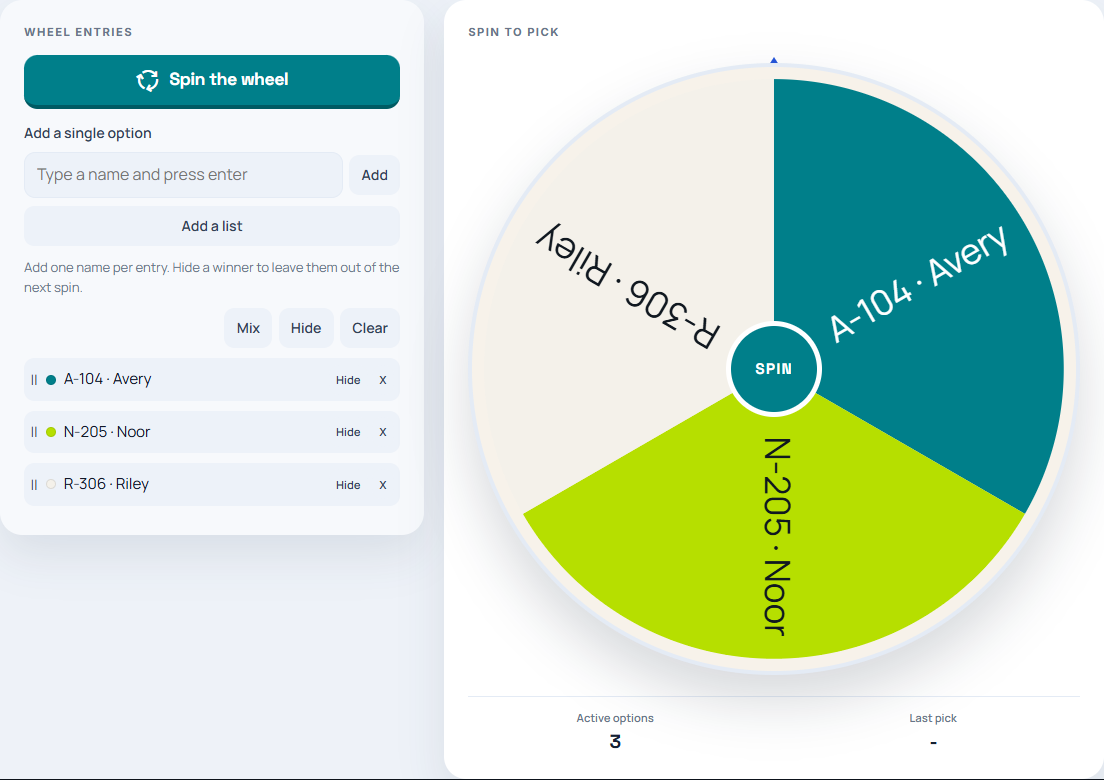
- Open the wheel spinner and choose Add a list.
- Paste one eligible entry per line, then select Done.
- Compare the active-options count with your cleaned list.
- Review labels and exclusions before the first spin. Use short entry IDs if displaying full names is unnecessary.
Select several different winners
Choose Spin the wheel. When the result appears, use Hide this option if that entry must not win again. Verify that it is hidden and the active count has decreased, then spin for the next winner.
Keep in wheel leaves the selected entry eligible. Mixing the wheel rearranges entries; it does not replace the need to exclude a winner. Hiding one entry also does not find and hide every other entry belonging to that person. If your rules allow several entries per person but only one prize per person, exclude that person’s other entries before continuing.
For a list-based draw with a maintained no-repeat pool, the choice picker is another option. The no-repeat round guide shows the difference between completing a pool and starting a new round.
Document the process and any reroll
Keep the closed eligible list, the selection rule and the result together. Record which entries were excluded between winners. If a reroll is needed, record the announced reason rather than presenting only the preferred final spin.
A screenshot can document what was displayed at a moment. It does not by itself establish that the entire process was audited, that all entries were eligible, or that a giveaway satisfied external rules.
Save any information you need before leaving the page. Do not rely on a future reload to reconstruct the draw. For a classroom turn-taking activity rather than a giveaway, follow the simpler student picker workflow.