Spreadsheets
Random Numbers Without Duplicates in Excel and Google Sheets
Build the eligible integers once, randomize their order, then take as many as you need. This gives a fixed-size sample without relying on repeated draws happening to be different.
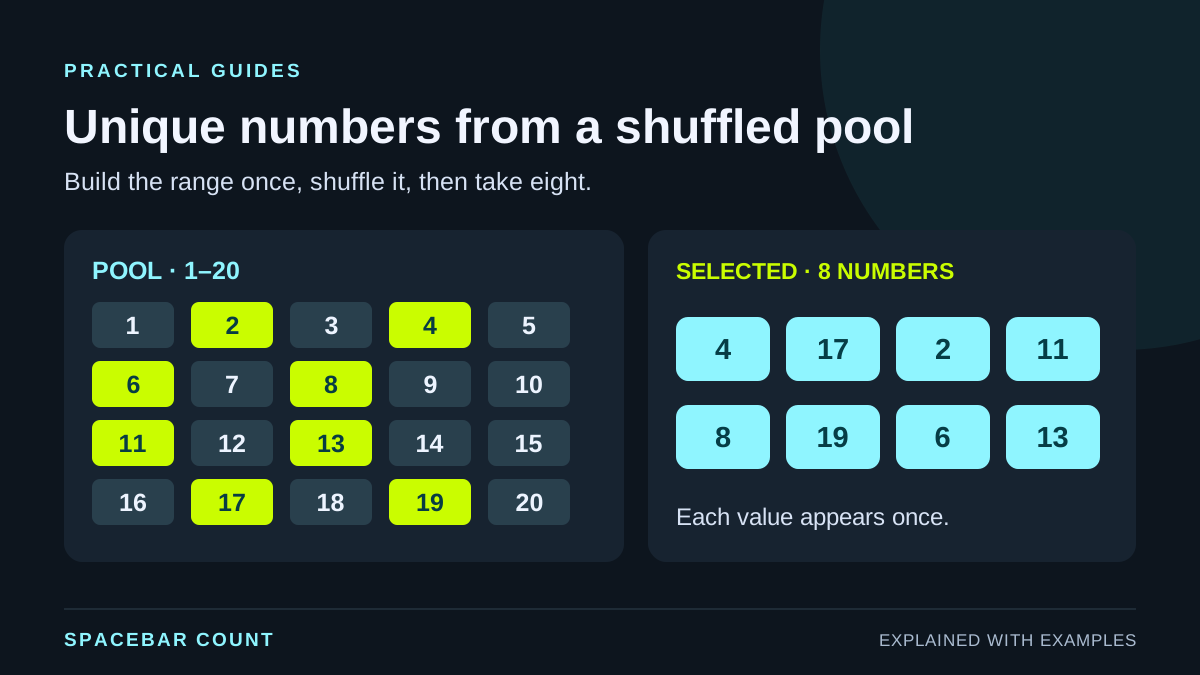
Shuffle the range, then take a sample
The reliable method is a unique pool. For eight different numbers from 1–20, create the twenty integers, shuffle them and keep the first eight. Generating eight independent RANDBETWEEN values does not guarantee uniqueness.
The same number can legitimately appear in separate independent draws. Removing duplicates afterward can leave too few results. Sampling a unique pool avoids that repair step: each eligible integer occurs once before selection, so the selected subset also has no duplicates.
Use inclusive bounds. The pool from low through high contains
high − low + 1 integers. That means 1–20 offers
twenty choices, while −2–2 offers five. You cannot take eight
different integers from a pool of five.
Draw from a visible unique pool
Change the bounds and quantity, then draw a new set. This illustration supports up to 100 eligible integers so that the whole pool stays visible.
Eligible integers 1–20 · 20 in the pool
Drawn set · 8 different numbers
Each checked number appears once in this set. A fresh set can include numbers from an earlier set.
Example: eight different numbers selected from 1–20. Each checked number appears once in this set.
Use the same three input cells in either app
| Cell | Example value | Rule |
|---|---|---|
| B2 | 1 | Minimum whole number |
| B3 | 20 | Maximum whole number, no smaller than B2 |
| B4 | 8 | Whole-number quantity from 1 to B3 − B2 + 1 |
Put the result formula in D2 and leave the cells below it empty. The output expands down a single column. These formulas assume whole-number inputs; use whole-number data validation or check the inputs before drawing.
The worked example selects eight numbers from twenty. A new draw may share numbers with an earlier draw. If your task is a continuing queue in which an item stays unavailable across separate clicks, use a no-repeat choice-picker round rather than treating independent sets as one shared pool.
Excel: SEQUENCE, SORTBY and RANDARRAY
=IF(OR($B$3<$B$2,$B$4<1,$B$4>$B$3-$B$2+1),"Check range and quantity",INDEX(SORTBY(SEQUENCE($B$3-$B$2+1,1,$B$2,1),RANDARRAY($B$3-$B$2+1)),SEQUENCE($B$4)))SEQUENCE creates the eligible integers. RANDARRAY supplies one random sorting value for each row. SORTBY rearranges the pool, and INDEX returns the first B4 positions using a sequence of row numbers.
The outer IF displays “Check range and quantity” for a reversed range, a quantity below one, or a quantity larger than the pool. Try B2 = 1, B3 = 10 and B4 = 20 to see the impossible request rather than silently receiving duplicates.
This dynamic-array version needs Excel functions available in Microsoft 365 and modern perpetual editions such as Excel 2021 or 2024. If your version does not recognize the functions, use the helper-column method below. A blocked output area can cause a spill error; clear the destination rather than deleting input records.
Google Sheets: sort the unique pool and constrain the result
=IF(OR($B$3<$B$2,$B$4<1,$B$4>$B$3-$B$2+1),"Check range and quantity",ARRAY_CONSTRAIN(SORT(SEQUENCE($B$3-$B$2+1,1,$B$2,1),RANDARRAY($B$3-$B$2+1,1),TRUE),$B$4,1))SEQUENCE builds the integer range and RANDARRAY creates a one-column set of sorting keys. SORT moves the pool using those keys. ARRAY_CONSTRAIN keeps the first B4 rows and one output column. This formula belongs in an empty output area, not over the input cells.
Sheets and Excel do not use identical random-array formulas. Use the version labelled for your app. Both examples use English function names and comma separators; your spreadsheet settings may require translated names or semicolons.
The result remains a unique set even if two random sorting keys happen to match: the underlying pool still contains each integer only once. Random sorting is a practical spreadsheet method, not a claim that a sheet provides a certified draw process.
A helper-column method for older Excel versions
- Fill A2:A21 with the integers 1 through 20, one number per row.
-
Enter
=RAND()in B2 and fill it down to B21. - Copy B2:B21 and paste values over those random keys so they do not change during later edits.
- Select both columns A and B together, then sort by column B.
- Take the first eight values from column A and save them as the chosen set.
Include all columns that belong to each record when sorting. Sorting only the random keys without moving their numbers leaves the original number order unchanged. For a table of names and IDs, follow the complete-row shuffle guide.
Freeze the set and verify its size
Dynamic random formulas can recalculate. Once you choose a result, copy it to a separate location and paste values only. Keep the formula area if you want future draws, and label the fixed copy so it is clear which set you decided to use.
For the eight-number example saved in D2:D9, these checks should return 8, a value at least B2, and a value no greater than B3:
=COUNT(D2:D9)
=MIN(D2:D9)
=MAX(D2:D9)
To check repeats, put =COUNTIF($D$2:$D$9,D2) in E2
and fill down. Every saved numeric result should have a count of
one. Keep the references matched to the actual output range.
Use the browser generator for a small set
Open the random number generator, set Minimum to 1, Maximum to 20 and Quantity to 8, then turn on No repeats. Generate and copy the result when you want to keep it.
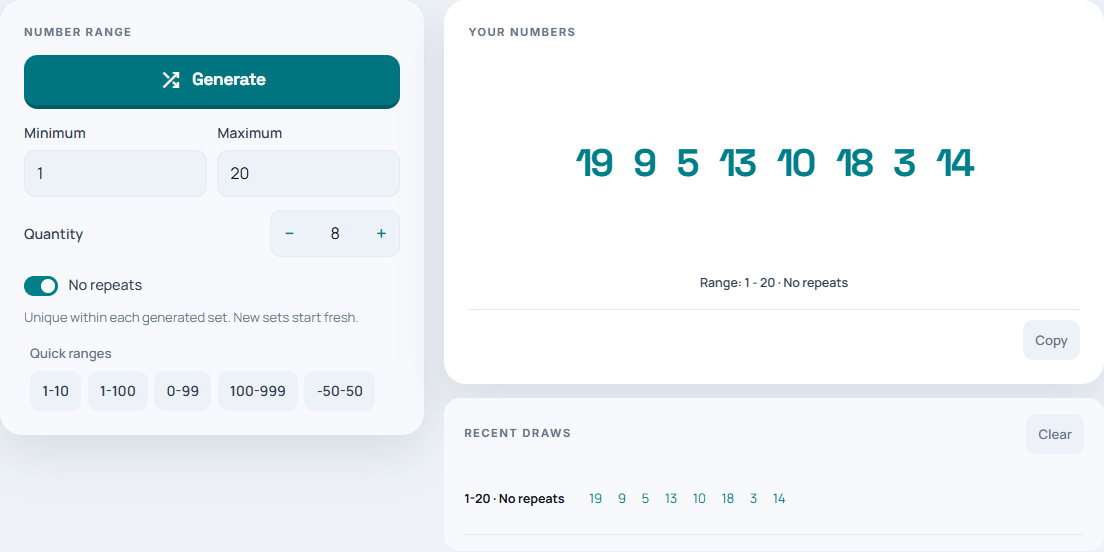
The browser tool supports up to ten values per set. For a larger sheet, use the spreadsheet workflow rather than combining several browser sets and assuming their numbers cannot overlap. For the underlying distinction between independent draws and sampling without replacement, see why random numbers repeat.