Keyboard
Keyboard Ghosting vs N-Key Rollover: How to Test
A key that works alone can fail in a combination. Test the exact keys you use, then separate a missing input from an extra input or a layout mismatch.
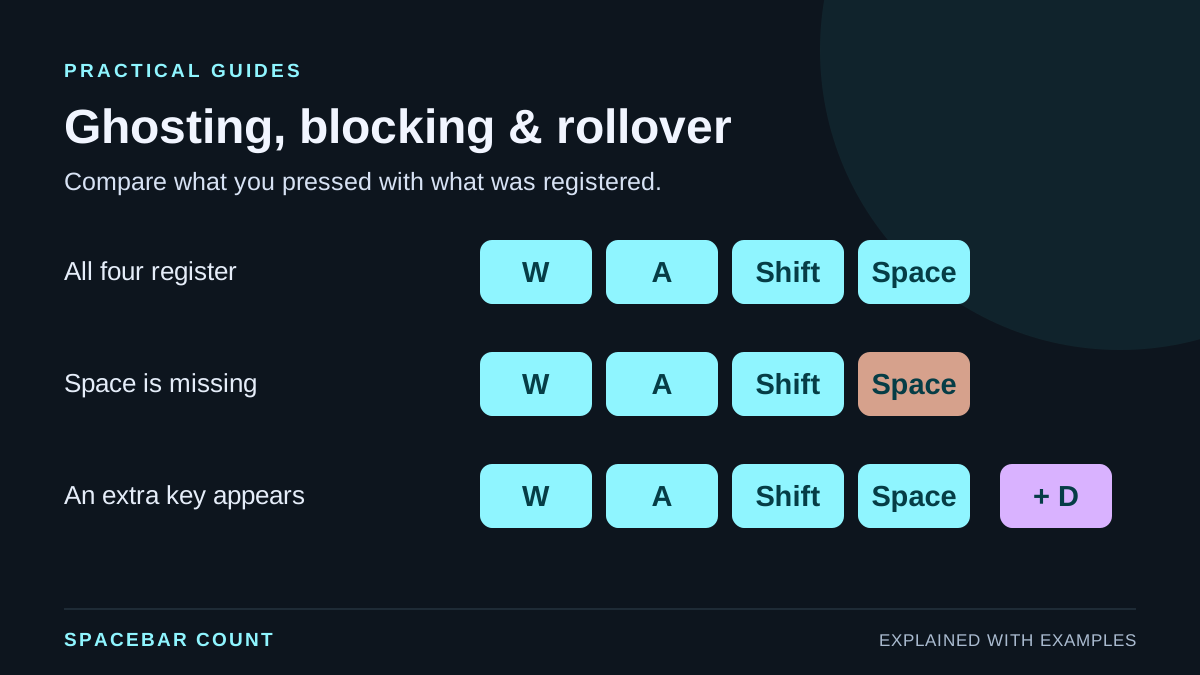
Ghosting, blocking and rollover are different
| Term | What it describes | What to look for |
|---|---|---|
| Ghosting | An input appears for a key you did not press. | An unexpected extra key. |
| Blocking / masking | An intended keypress is not reported. | A held key is absent from the input. |
| Rollover | How simultaneous keypresses are handled. | Whether the combinations you need register together. |
People often use “ghosting” for any failed combination. For troubleshooting, the observed behavior is more useful than that broad label: write down whether a key was missing or an extra key appeared.
N-key rollover, or NKRO, refers to handling simultaneous keypresses without a fixed small key limit. Do not infer full NKRO support from one successful six-key combination. Different combinations can behave differently.
Compare three possible outcomes
Same intended keys, different reported input
This animated illustration is not a live hardware test. You intend to hold W, A, Shift and Space in every example.
Four intended keys are shown. Choose an outcome to compare what it means.
If Space works by itself but disappears only while other keys are held, the combination matters. If it never appears, start with the single-key troubleshooting checklist instead.
Test your actual game or shortcut combination
- Open the keyboard tester, select a layout that matches your keyboard, and click the test area.
- Press each intended key separately. Check that each is recognized before testing simultaneous input.
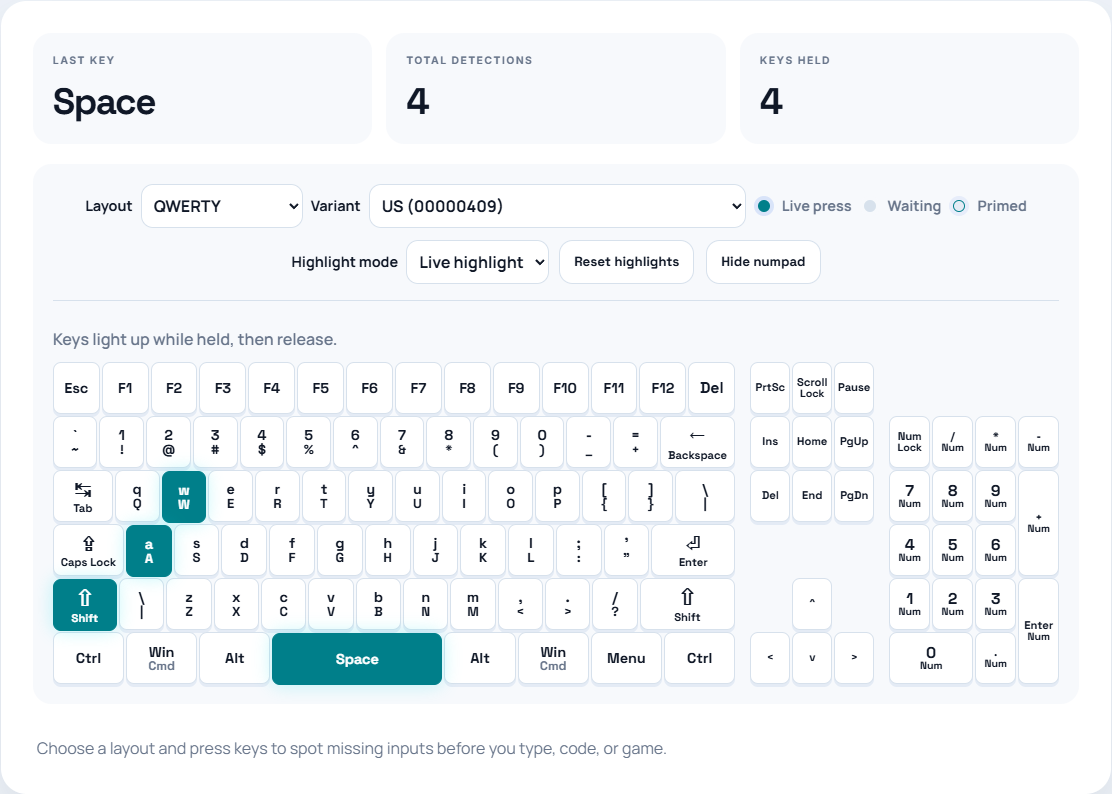
- Hold the keys used together in your game, such as W, A, left Shift and Space. Watch the highlighted keys and the held-key count.
- If an input is missing, release one held key at a time. Note which change makes the missing input appear.
- Repeat the same combination and compare a different combination. Record the actual keys, rather than only the highest count.
What the result can and cannot tell you
All intended keys register: that combination worked in this browser and connection. It does not certify every combination or connection mode.
One key is missing only in a combination: repeat the test outside your game. A rollover limitation or blocking is one possible explanation; a reserved shortcut, software layer or browser behavior can also prevent an event from reaching the page.
The physical key registers but the character looks
wrong:
compare your operating system input language with the selected
layout. Physical key position and produced character are
different pieces of information. Browser keyboard events expose
that distinction through properties such as
code and key.
Compare setups before replacing hardware
Keep the combination fixed and change one thing at a time: a different browser, a direct USB connection, or a wired connection if your keyboard supports one. Check your model’s documentation; rollover support can depend on connection mode and firmware.
Operating systems, browser shortcuts and assistive software may intercept keys. Avoid using a shortcut that closes the browser as your test combination. If a result differs across applications, include that difference in your notes.
Useful support report: keyboard model, selected system layout, cable/Bluetooth mode, browser, physical keys held, inputs received, and whether each key works alone. This is more actionable than “my keyboard has ghosting.”
A browser test reports the events it receives. It cannot inspect the keyboard’s electrical matrix, measure every firmware decision, or establish the cause of a hardware fault on its own.