Color & design
Generate a Random Color Palette With Readable Text
A palette can look good and still make text hard to read. Generate the colors first, then check the actual text and background pair you intend to use.
Check a text/background pair, not just a palette
For WCAG AA text contrast: normal text needs at least 4.5:1. Large text has a 3:1 threshold. These checks compare a particular foreground with a particular background; they do not approve a whole palette or page.
Start with the text color and the surface directly behind it. A color that works as a background for black text might work poorly behind white text. Changing the palette’s name or harmony does not change that calculation.
For a simple starting point, compare pure black and pure white on each candidate background. Then check the exact colors, font sizes and states in your finished design.
Compare black and white text on three backgrounds
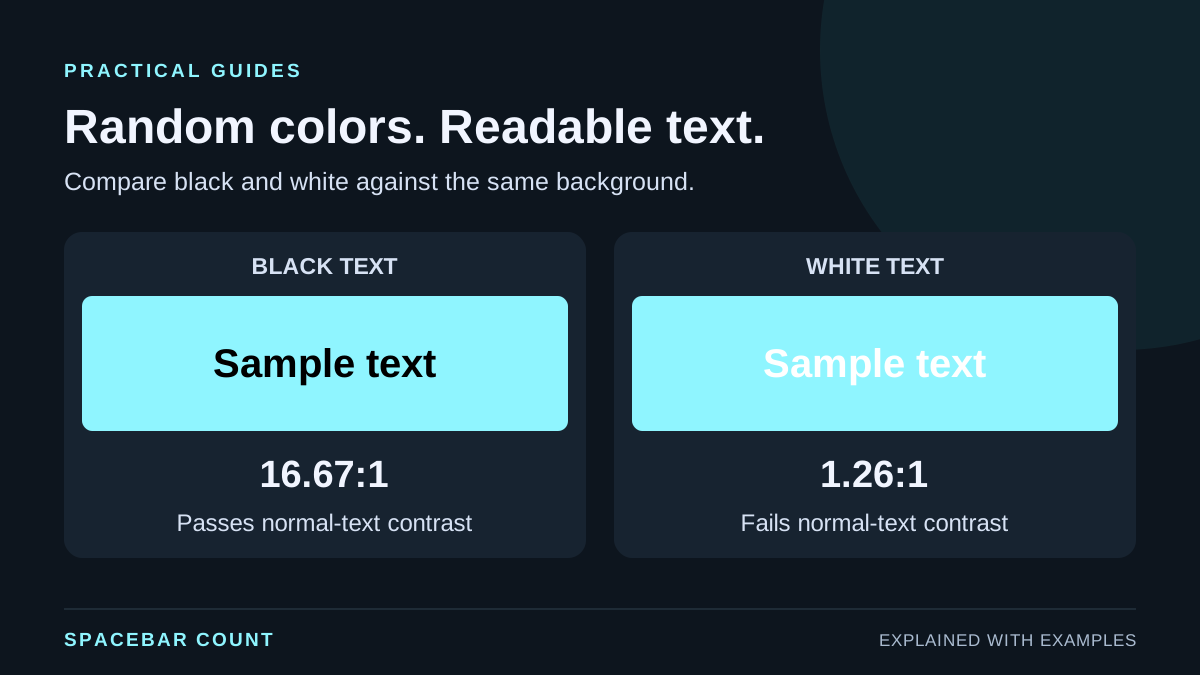
Same background, two text colors
Ratios below are calculated for pure black and pure white. The pass label uses the normal-text 4.5:1 threshold.
Black text sample
White text sample
Background #8FF5FF. This compares one text/background pair at a time.
The example keeps the background identical in both cards. That makes the effect of the text color visible without changing the rest of the design at the same time.
Build a palette and inspect one swatch
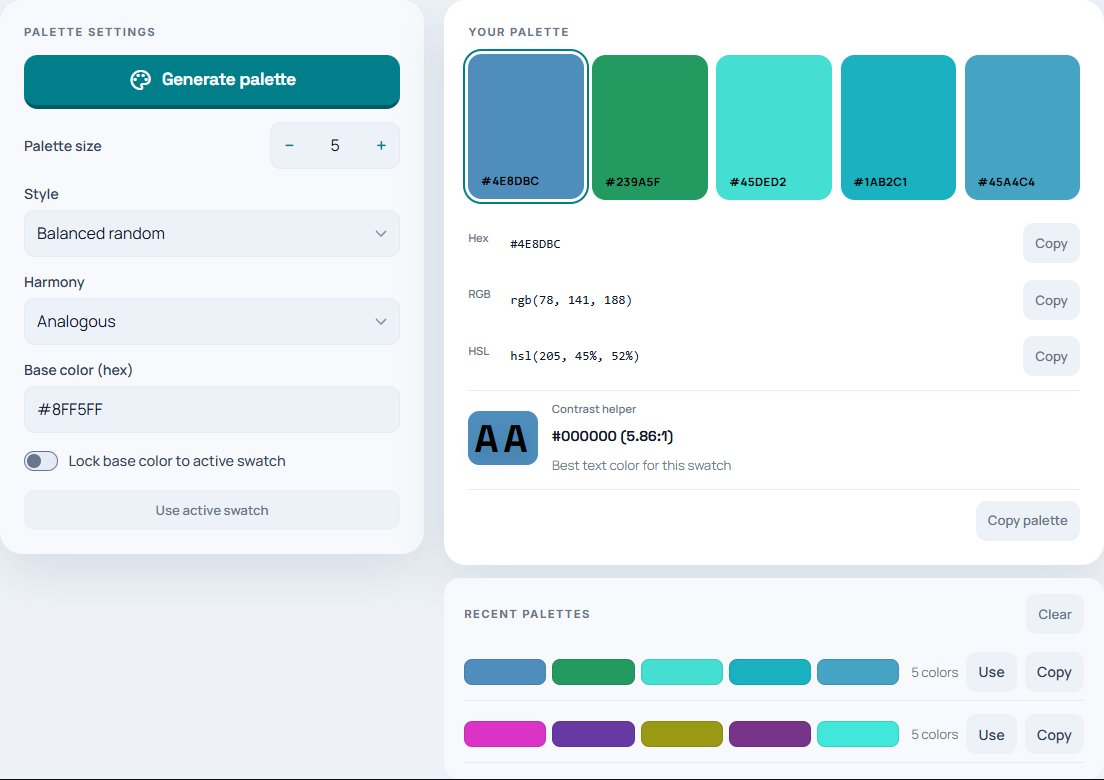
- Open the random color generator. Set Palette size to 1 for one color or up to 8 for a palette.
- Choose the style and harmony you want, then select Generate palette.
- Select a swatch. Read its hex, RGB and HSL values and the Contrast helper.
- Compare the suggested black or white text against your intended background. Copy the color values you need.
Keep a useful base color while exploring
If you already have a starting color, enter its hex code or choose a swatch and use Use active swatch. Choose a suitable harmony for related colors. Lock base color uses the active swatch as the base for later generation.
Keep separate roles in mind: page background, card surface, main text, muted text and action color. It is easier to evaluate a palette when a color has a role than when all swatches are treated as interchangeable.
When you change a background, check the text again. When you change the text color, check it against every surface on which that text appears.
Copy the values, then test the real design
| Format | Example | Typical use |
|---|---|---|
| Hex | #8FF5FF |
A CSS color or design-tool field |
| RGB | rgb(143, 245, 255) |
Red, green and blue channel values |
| HSL | Hue, saturation and lightness | Exploring related hues and lightness changes |
These formats describe colors; switching format does not select a different swatch. Copy a single value for one role or use Copy palette to retain the set.
Check normal text, large headings, links, hover/focus states and muted labels in the actual page. Text placed over an image or gradient needs attention to the background behind the letters, not only a convenient sampled swatch.
Contrast is one part of accessibility. Also consider focus visibility and whether meaning depends on color alone. A green “pass” or red “fail” should still be understandable from its text label.